FrameHero syncs with your iOS Simulator, switches locales automatically, and pushes every iPhone and iPad size straight to App Store Connect.
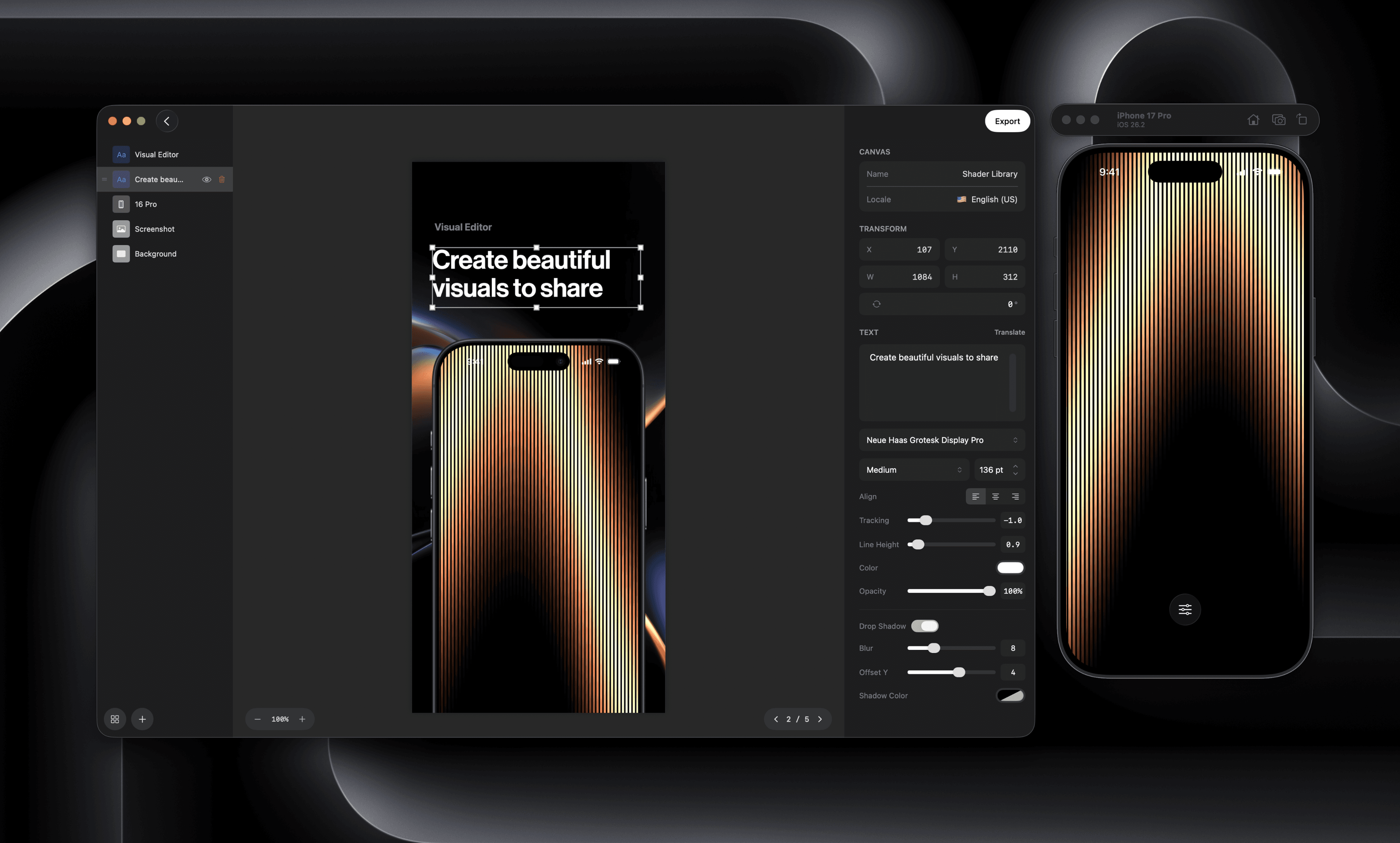
Built for busy product builders
Everything you need to create, localize, and ship App Store assets — without leaving your Mac.
AI Translation
Translate metadata and screenshot captions into 40+ languages with one click. AI-powered, human-quality results.
Simulator Sync
Capture directly from iOS Simulator with clean status bars. Switch locales automatically via simctl.
ASC Upload
Push screenshots and metadata to App Store Connect in one click. No browser uploads, no manual work.
Device Coverage
All 12+ required device sizes generated automatically. iPhone, iPad, and Apple Watch — every size, every locale.
Early adopter pricing
One-time purchase. No subscription. Free updates for a full year.
FrameHero
Everything you need for App Store screenshots
One-time purchase · 1-week free trial · Free updates for one year
- Unlimited screenshots
- All 12+ device sizes
- 40+ languages
- App Store Connect sync
- Simulator integration
- Template library
- AI keyword optimization
- Preview video support
- Marketing asset export
Frequently asked questions
FrameHero is a macOS app for creating App Store screenshots, optimizing metadata with AI, and uploading everything directly to App Store Connect. It replaces Figma, manual exports, and the clunky ASC upload interface.
Start with a free 1-week trial — no credit card required. After that, FrameHero is a one-time purchase of $49 (early adopter pricing). You get every feature, plus free updates for a full year. No subscription, no recurring charges.
FrameHero connects directly to the iOS Simulator via Apple's simctl tool. It switches languages automatically, captures screenshots with clean status bars, and frames them in the correct device size — all without touching Simulator settings yourself.
FrameHero uses state-of-the-art language models fine-tuned for App Store content. Translations respect character limits, include locale-appropriate keywords, and maintain your brand voice. You can review and edit everything before uploading.
FrameHero uses Apple's official APIs to upload screenshots, metadata, and preview videos directly. You authenticate with your Apple ID once, select your app, and push — no browser required.
Unlike web-based tools, FrameHero runs natively on macOS with direct Simulator and ASC integration. There's no Figma plugin to manage, no browser-based editor limitations, and no per-screenshot pricing. One price, unlimited everything.